MOP 2.5 — Internal Approval Workflows for Committee Submissions
Audience:
society_admin, Event Committee SPOC Outcome: Every event request submitted by a committee passes through a 5-step pipeline ending in an admin sign-off (Step 5) with department NOC verification, applicant consent confirmation, optional NOC issuance and SPOC e-signature.
1. The 5-step pipeline
| # | Owner | Captures |
|---|---|---|
| 1 | Committee | Event details, POC, location, type, plan |
| 2 | Committee | Logistics requested (stalls, guards, electrical, cleaning, misc) |
| 3 | Committee | NOC uploads — Police NOC, Fire NOC (PDF/JPG/PNG ≤ 10 MB) |
| 4 | Committee | Compliance consent boxes + applicant e-signature |
| 5 | Admin | Committee review notes, dept NOC checklist, SPOC sign-off, decision |
Steps 1–4 happen in the Committee Dashboard wizard. Step 5 happens in the Admin Dashboard under Event Form Approvals.
2. Step 5 — admin review modal
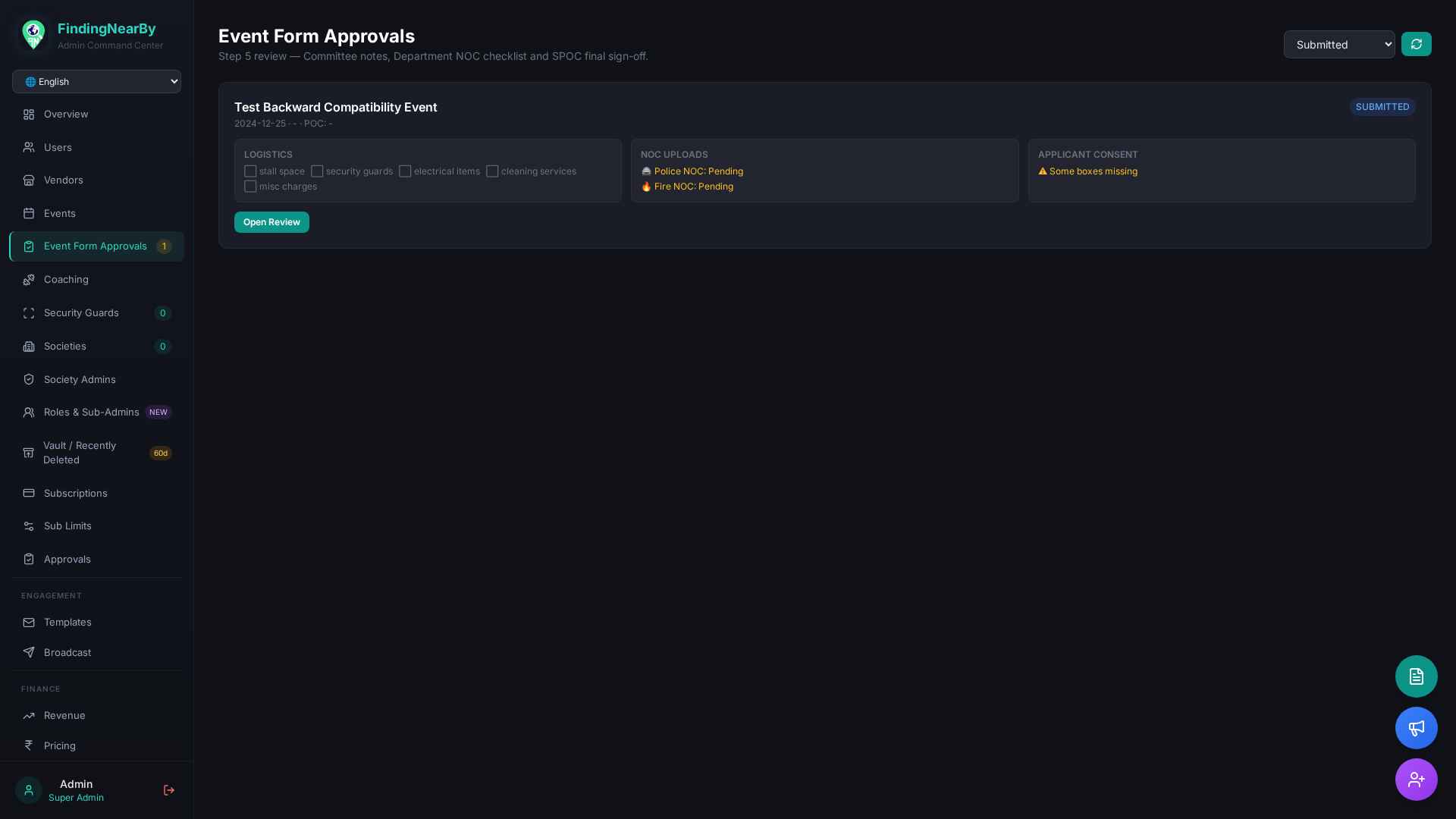
Click Open Review on any submitted form to land on the four-section modal:
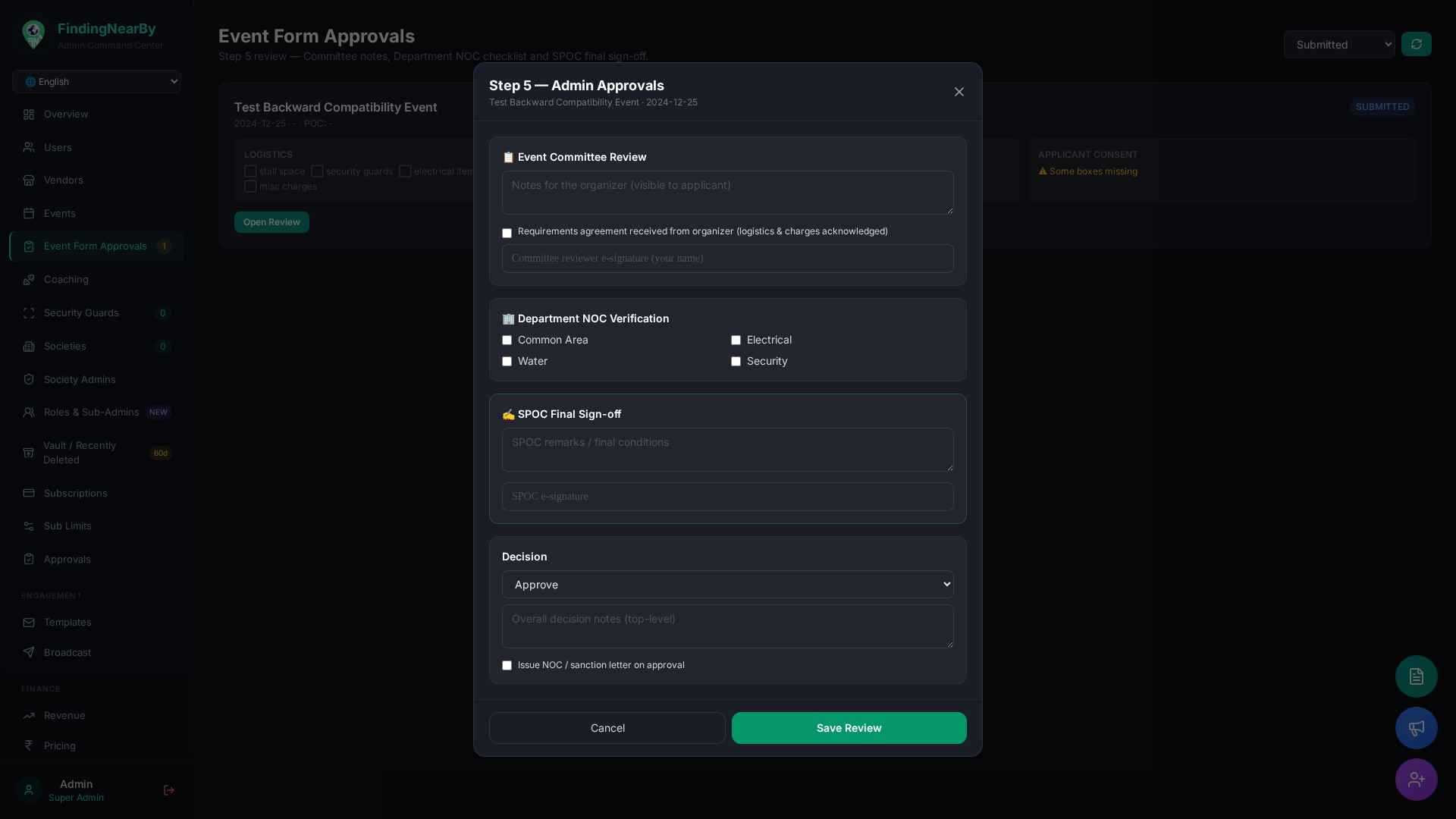
Fields persisted:
event_forms.committee_review_notes        # visible to organizer
event_forms.requirements_agreement        # bool, "logistics & charges acknowledged"
event_forms.committee_signature           # text, e-sig (auto stamp committee_signed_at)
event_forms.dept_noc_checklist            # { common_area, electrical, water, security }
event_forms.spoc_remarks                  # final conditions
event_forms.spoc_signature                # text (auto stamp spoc_signed_at)
event_forms.status                        # approved | needs_revision | rejected
event_forms.review_notes                  # top-level decision notes
event_forms.noc_issued                    # bool — issues sanction letter on approval
3. APIs touched
| Method | Endpoint |
|---|---|
| GET | /api/admin/event-forms?status=submitted&limit=100 (phase-scoped) |
| PUT | /api/admin/events/{event_id}/event-form/{form_id}/review |
| POST | /api/committee/event-form (committee Step 1–2 + 4) |
| POST | /api/committee/event-form/{form_id}/upload-noc (Step 3 — multipart) |
| GET | /api/committee/event-form (committee dashboard list) |
The PUT review endpoint accepts every Step-5 field as URL query params:
status, notes, issue_noc, committee_review_notes,
requirements_agreement, committee_signature, dept_common_area,
dept_electrical, dept_water, dept_security, spoc_remarks,
spoc_signature.
4. Edge cases & FAQ
- Police / Fire NOC missing → Step 3 client-side validation blocks submission. Admin can still approve later via Step 5 if a paper NOC is attached out-of-band (uncheck the dept-NOC items + add notes).
- Need revisions? Set
status = needs_revision+ a clearcommittee_review_notes. The committee dashboard shows the notes inline on the form list so the organizer can edit + resubmit. - NOC issuance — checking Issue NOC / sanction letter on approval
flips
noc_issued = true. The mobile app surfaces a "✅ NOC Issued" badge on the event card.
5. Related MOPs
- MOP 2.3 — Committee Formation
- MOP 3.1 — Event Lifecycle
- MOP 3.3 — Committee Content Submission